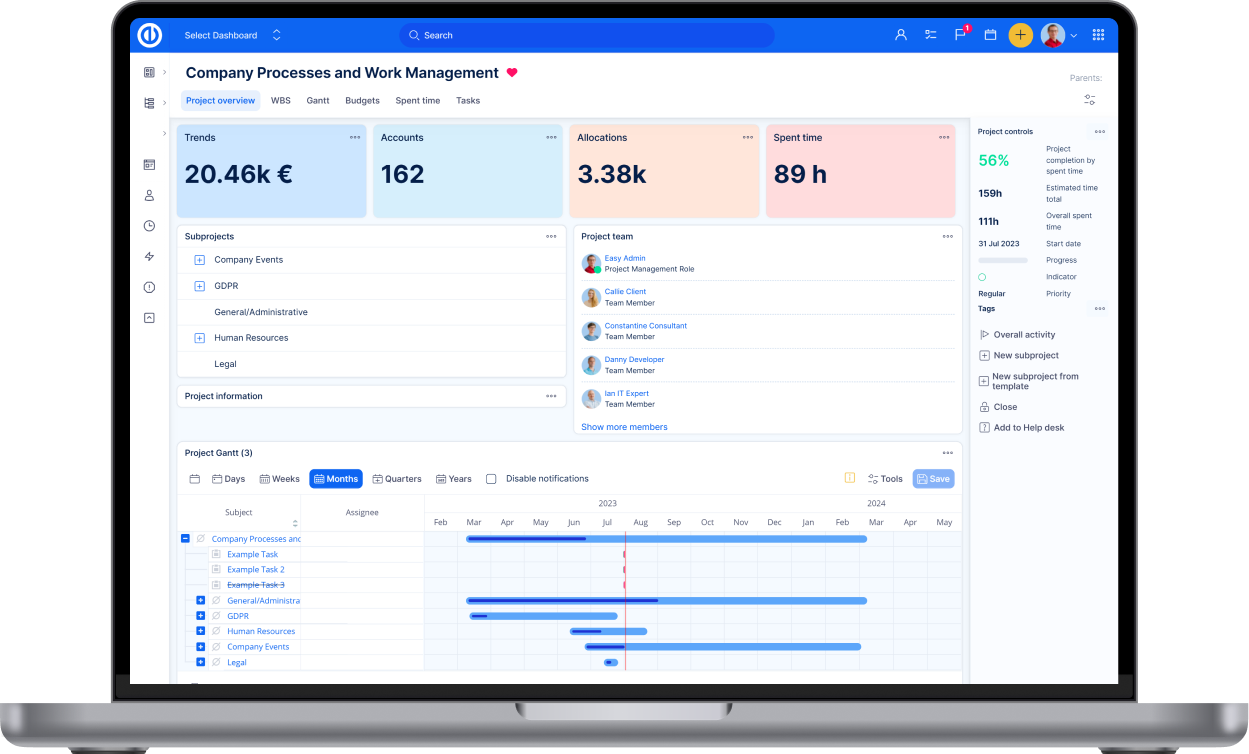
One way to run work delivery across disconnected tools — WorkOps
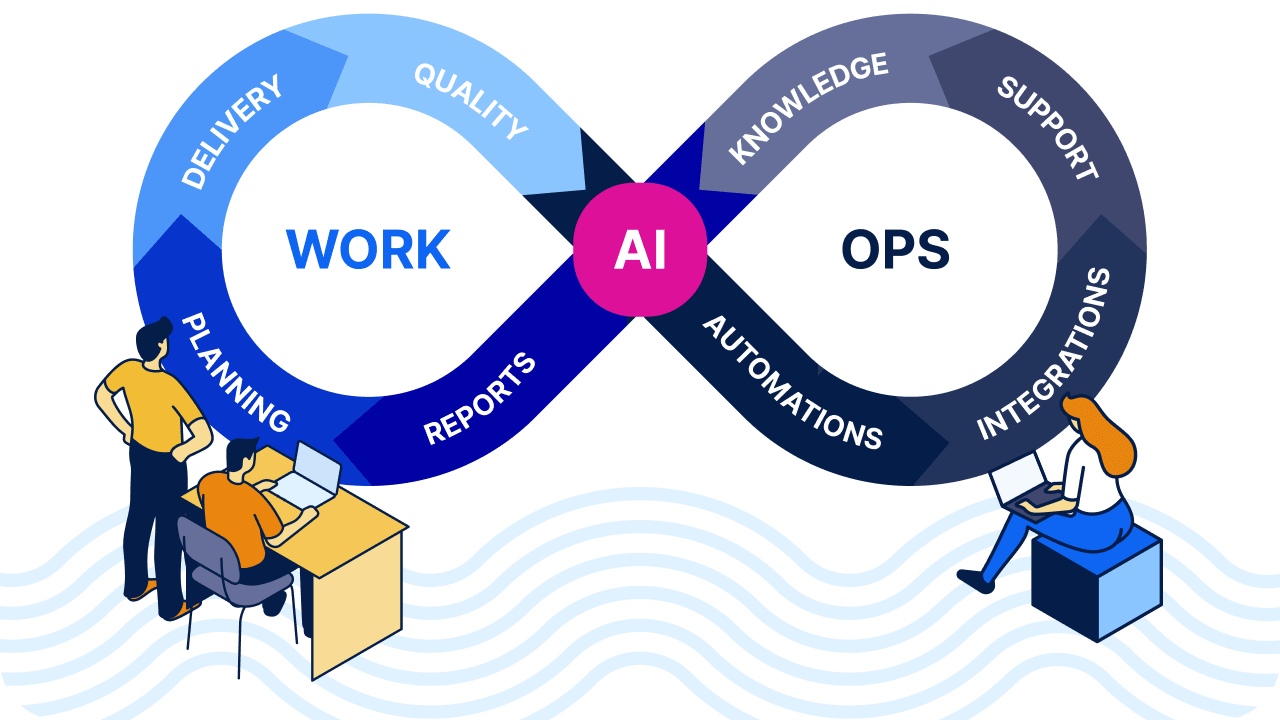
In 2026, we will focus on WorkOps — a methodology which helps understand how organisations actually manage work across projects, teams, tools, and processes. Not only how work is planned, but also how it is executed, coordinated, and continuously improved in day-to-day operations.
We see that the reality in many companies is still fragmented:
- multiple tools,
- manual handovers,
- duplicated work,
- delays,
- limited visibility.
This is where we believe a WorkOps approach can make a real difference.
That’s why, over the coming months, we will focus on:
- reducing manual and repetitive work through automation,
- better connecting people, tools, and data,
- supporting real-time work management, not just formal planning.
Moreover, we are planning to share our know-how through series of inspirational webinars. Stay tuned!
Learn more about WorkOps methodology
Time-based automations in Easy Project
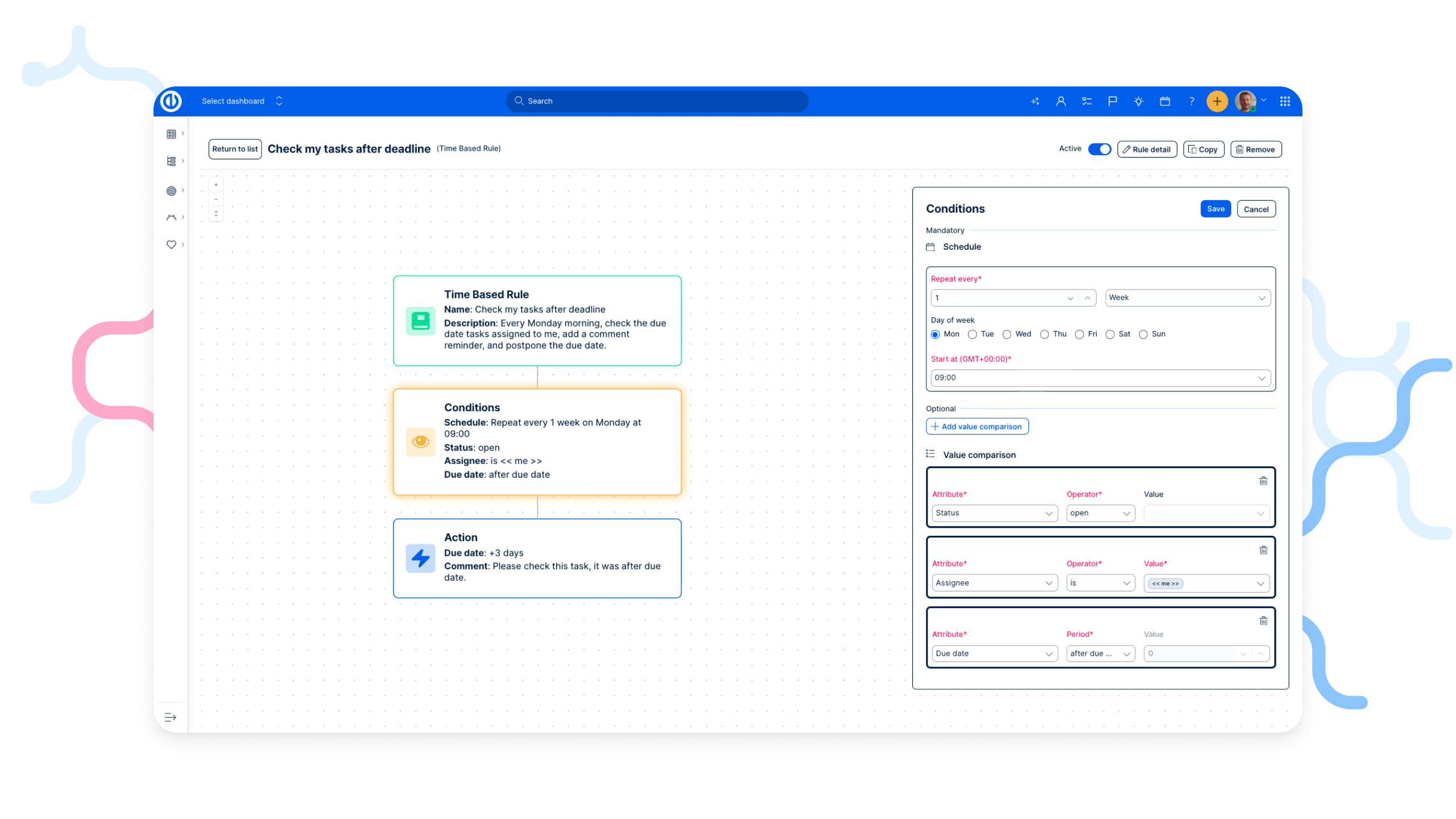
We’ve released the first version of time-based automations in Easy Project, allowing you to trigger automated workflows based on time ruled triggers.
This is the first step toward fully automated workflows that run in the background, without manual interaction.
What’s new
A new time-based rule option is now available in the Automation section.
When creating a rule, you can define when the automation should run, for example:
- every hour,
- on a specific date,
- daily or weekly (e.g., every Monday morning at 9:00).
You can then combine the trigger with conditions (filters) and actions, just like with existing automation buttons.
How it works
1. Define the automation name and description.
2. Set a time-based trigger (hour, day, week, exact date).
3. Add conditions to filter the data (e.g., task status, assignee, due date).
4. Choose actions — the same actions you already know from Automation Buttons
- update task fields,
- add comments,
- change dates.
Availability
Time-based automations are already available to customers and were released with the latest minor version of Easy Project.
You can start creating your first time-based automated workflow right away. More trigger types will follow in upcoming updates.
Looking for a Jira alternative? Start here!
If you are currently using Atlassian on-premises (Data Center), 2026 is a good moment to reassess your long-term setup. Atlassian has officially announced the end of life for Data Center products in 2029, which impacts Jira Software, Confluence, Jira Service Management, and Bitbucket.
Below, you’ll find practical resources to help you understand what this means and what options you have next.
Atlassian Data Center end of life: What you need to know
Atlassian has confirmed that support for Data Center products will end in 2029. For organisations running Jira and related tools on-premises, this raises important questions around:
- long-term support and security,
- compliance and data residency,
- future costs and licensing,
- migration strategy and timing.
Why Easy Project is a top on-premises alternative to Jira
Easy Project is designed as a full replacement for Atlassian on-premises stack, not just a Jira look-alike.
With Easy Project, organisations can replace:
- Jira Software,
- Confluence,
- Jira Service Management,
- Bitbucket,
all within one self-hosted platform, extended with AI capabilities and workflow automation via n8n.
Key reasons why companies choose Easy Project as a Jira alternative:
- true on-premises & private cloud deployment,
- predictable licensing model,
- unified project, work, and service management,
- built-in automation and AI without data leaving your environment.
See why Easy Project is the #1 Jira self-hosted alternative
Real migration experience: From Jira to Easy Project (case study)
Planning a move away from Jira often raises concerns about complexity, data loss, or disruption. To address this, we are presenting a real-world case study showing how an organisation migrated from Jira on-premises to Easy Project.
The case study covers:
- reasons for leaving Jira Data Center,
- migration scope and approach,
- project timelines and risks,
- results after switching to Easy Project.
Planning a Jira migration?
Get a clear overview of how organizations migrate from Jira to Easy Project — what to prepare, what to watch out for, and how to reduce risk.
For more technical details, see the latest Release notes for version: 15.5.0